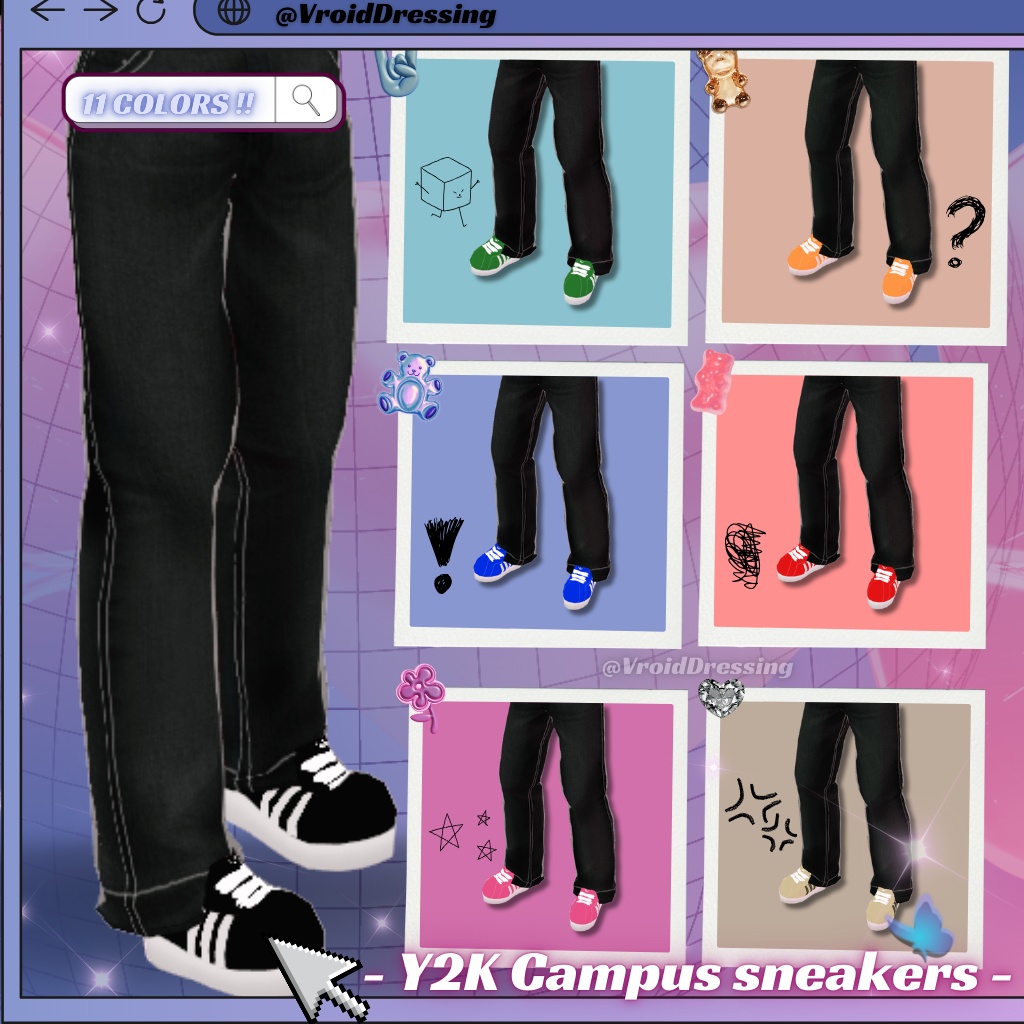
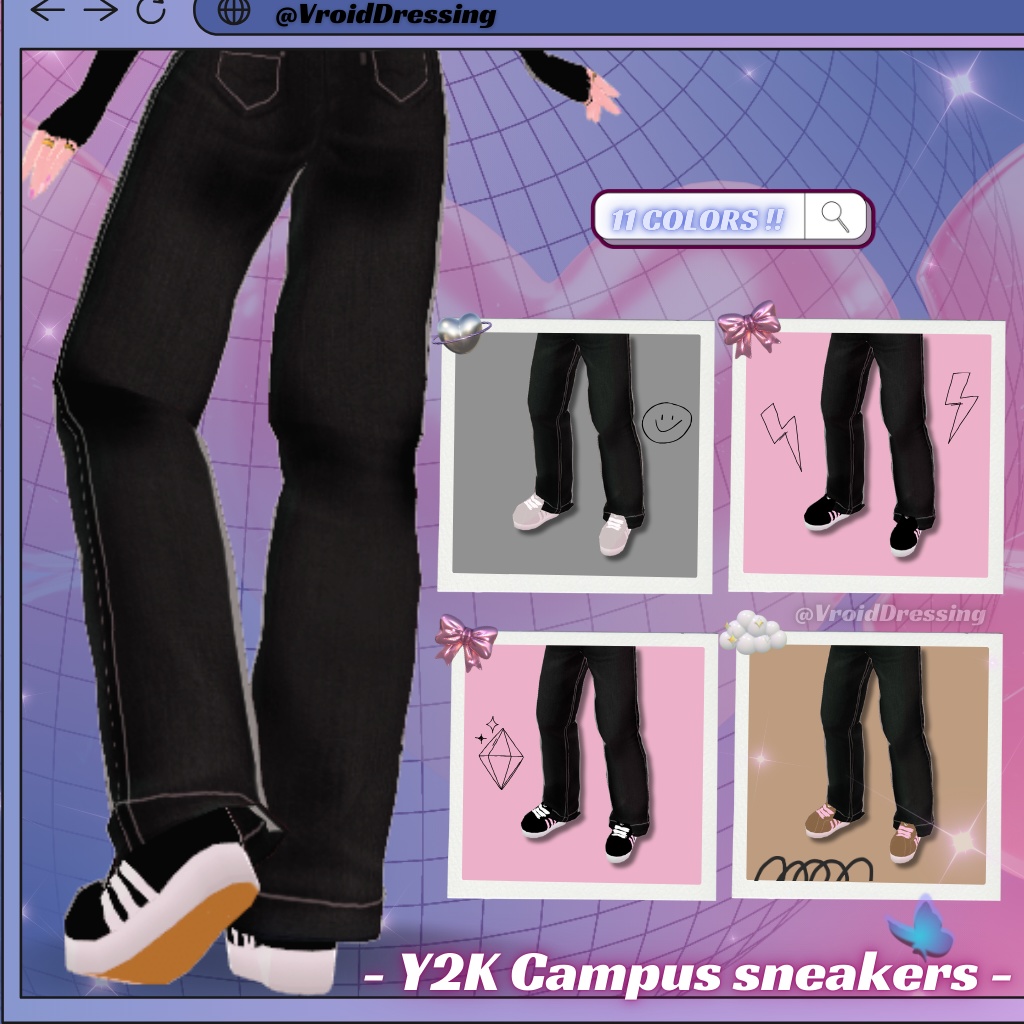
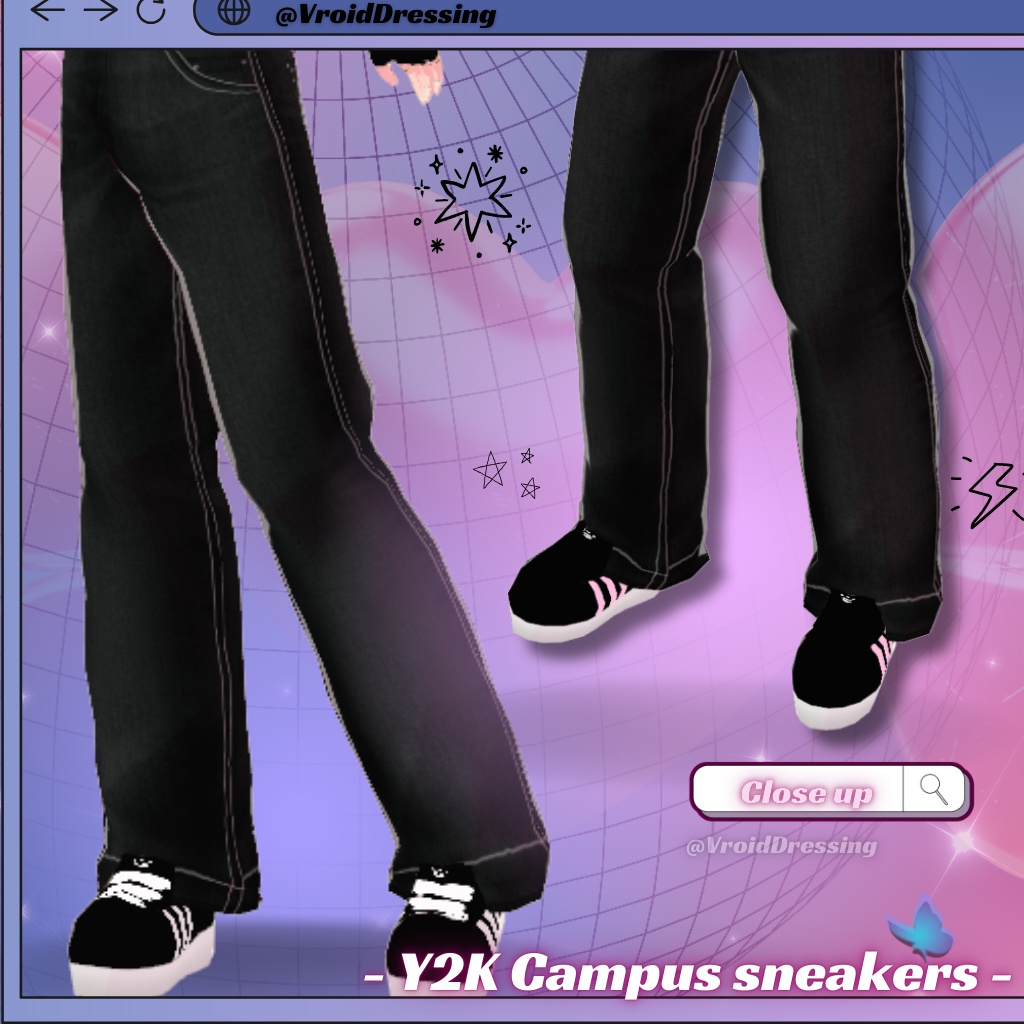
【VRoid衣装】Y2K キャンパススニーカー 全11色 / Y2K Campus Sneakers (11 colors)【カスタムアイテム】#VroidDressing
- ダウンロード商品Black sneakers¥ 450
- ダウンロード商品Green sneakers¥ 450
- ダウンロード商品Orange sneakers¥ 450
- ダウンロード商品Blue sneakers¥ 450
- ダウンロード商品Red sneakers¥ 450
- ダウンロード商品Pink sneakers¥ 450
- ダウンロード商品Cream sneakers¥ 450
- ダウンロード商品Grey sneakers¥ 450
- ダウンロード商品Black Pink sneakers (Black base & laces & pink lines)¥ 450
- ダウンロード商品Black Pink sneakers 2 (Black base & white laces & pink lines)¥ 450
- ダウンロード商品Brown sneakers¥ 450
- ダウンロード商品All 11 colors¥ 1,200
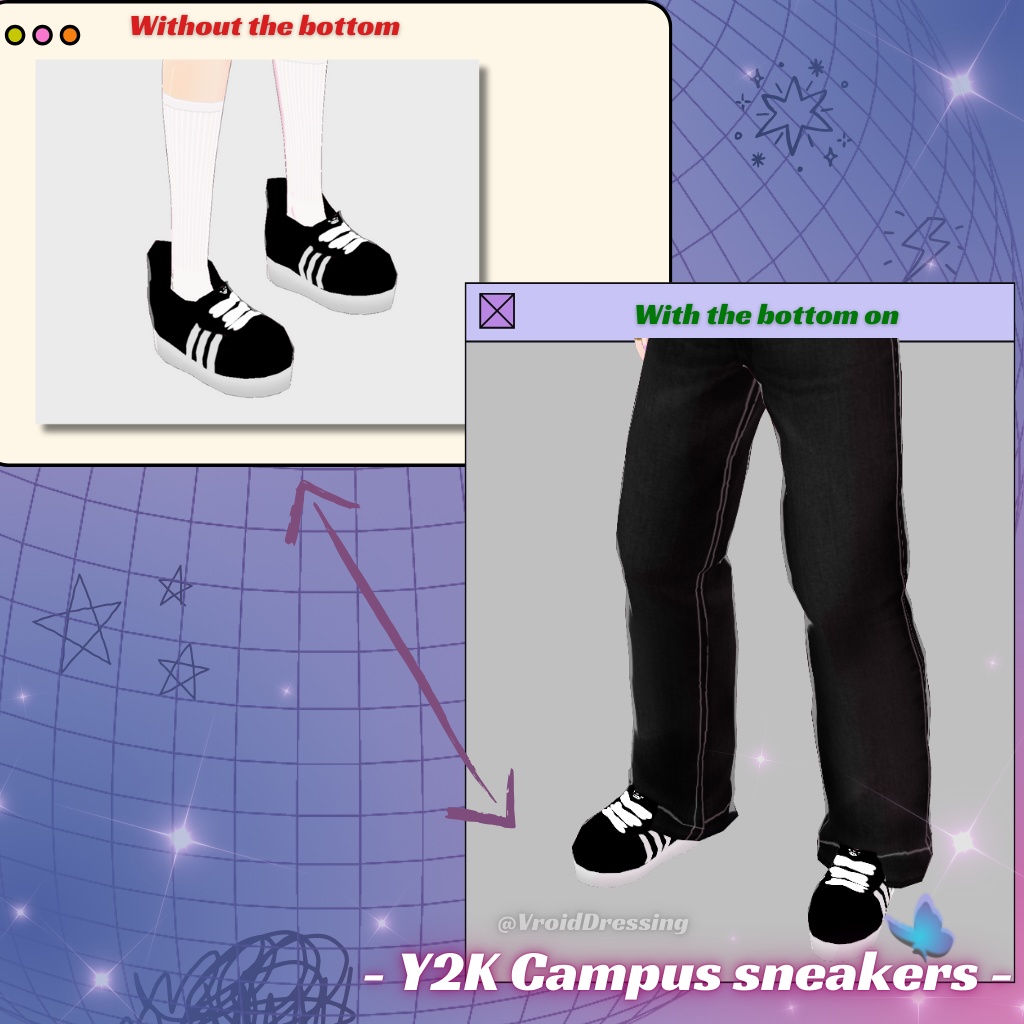
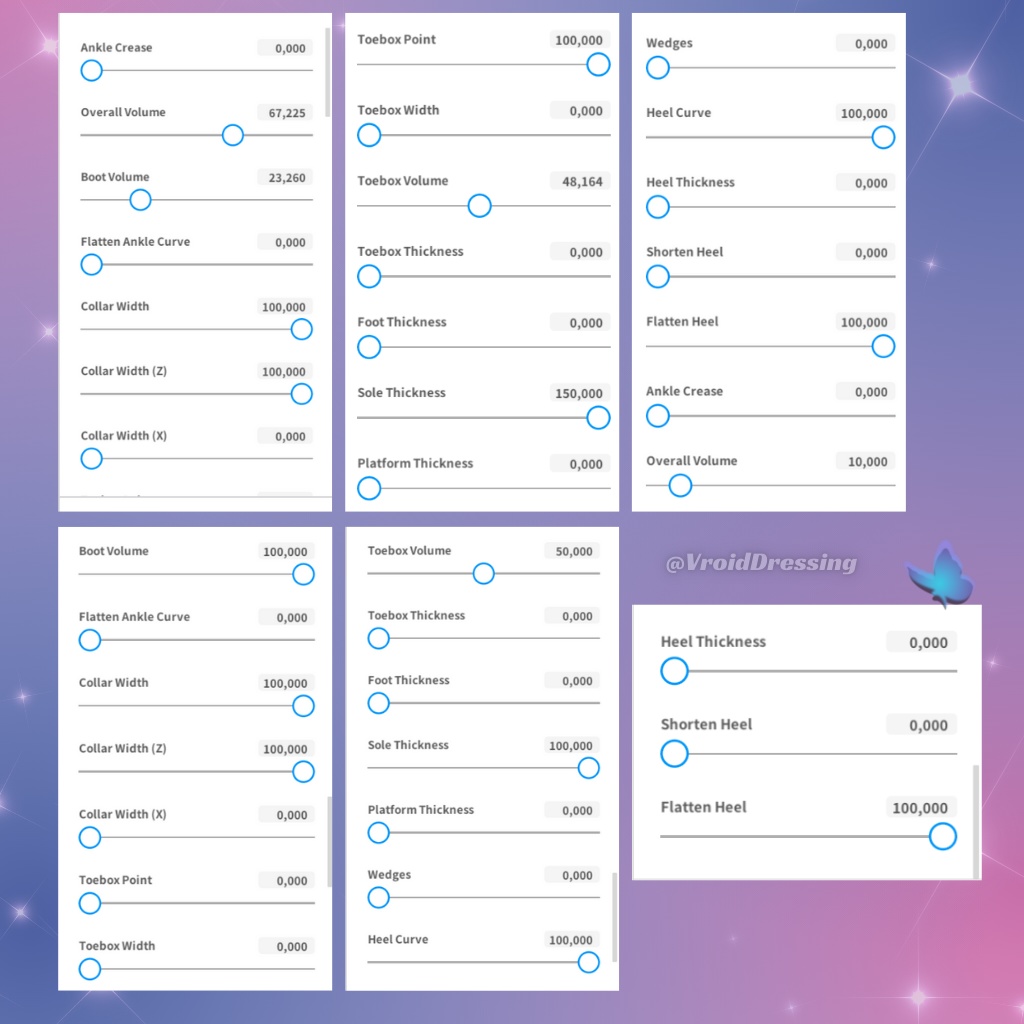
EN : ✨ Get all 11 colors in one pack — ¥1,200 instead of ¥4,950 ✨ VROID Y2K SNEAKERS IN 11 COLORS !!! You'll be able to DL the Sneakers you want, for example if you DL the "Black sneakers" item, you'll receive 1 Vroid custom item which is for this example : - Black sneakers.vroidcustomitem You'll receive a Vroid Custom Item file named like in this example but with each color that you'll choose. To put it on : 1- Go to the outfit section 2- Then select the "shoes" section 3- Click on "Custom" 4- Then choose "Import" and select the file you received to put it on your character PS : Take look at the last pic which shows how to adjust the shoes parameters to make it look like the ones on the pictures. Reminder : It looks good if you dress your character with a long jean/skirt in order to hide the big back part of the shoes you can see on the 4th pic. And if you're interested into the unisex baggy jeans worn by the model you see, here's the link to get it if you want to dress your character with it and the sneakers : https://vroiddressing.booth.pm/items/6221422 Enjoy ! JAP : ✨ 全11色まとめ買いパック ¥1,200(単品11個分 ¥4,950 のところ)✨ Y2K キャンパススニーカー 全11色 お好きなカラーをお選びいただけます。ご購入いただいたカラーの .vroidcustomitem ファイルを1点お届けします。 (例:「Black sneakers」→「Black sneakers.vroidcustomitem」) ▼ 着せ方 1.「衣装」タブを開く 2.「靴」を選択 3.「カスタム」をクリック 4.「インポート」からダウンロードしたファイルを選択 ❗ 画像どおりの形にするには、最後の画像でパラメーターの調整方法をご確認ください ❗ ※ かかとの後ろ側が大きめのデザインのため、丈の長いパンツやスカートと合わせるのがおすすめです。 ▼ 画像のモデルが履いているバギーデニムパンツはこちら https://vroiddressing.booth.pm/items/6221422 ━━━━━━━━━━━━━━━━━━━━━━ ✧ Get this piece in a full outfit and save ¥670 ✧ ✧ コーデセットならもっとお得 ✧ ▸ Y2K Girly Street Outfit, 3 items ¥1,650 → ¥980 Y2K ガーリーストリート コーデセット 全3点 https://vroiddressing.booth.pm/items/8799569 ✧ Complete the look ✧ コーデを完成させる ✧ ▸ Y2K Unisex Baggy Jeans / 男女兼用 Y2K バギーデニムパンツ 全2種 https://vroiddressing.booth.pm/items/6221422 ▸ Y2K Stars Hoodie Jacket / Y2K スター柄 クロップドパーカー https://vroiddressing.booth.pm/items/8802872 ━━━━━━━━━━━━━━━━━━━━━━
Terms Of Service
EN : ˚.🎀༘⋆ You are free to use this item on your avatar for anything, stream, YouTube Videos, and more. ˚.🎀༘⋆ You are NOT allowed to re-sell or use as an asset in a commission. ˚.🎀༘⋆ Nor are you allowed to modify it in order to re-sell it. ˚.🎀༘⋆ The creator is NOT responsible for any loss caused by improper use or by violating the terms of use. ˚.🎀༘⋆ By purchasing and downloading this product, you agree to the TERMS OF USE. ˚.🎀༘⋆ Refunds are not available. ˚.🎀༘⋆ Do not send this item to other people. Please send them to this page to continue to support this shop if they are interested. Thank you ! It would be cool if you credit me or post your avatar wearing my creations on your socials by tagging me @VroidDressing on IG or X, I would love to see your avatar wear it 🫶 JAP : ▼ 利用規約 ・ご自身のアバターに使用し、配信・YouTube動画などにご利用いただけます。 ・再配布・再販売はできません。コミッション用の素材としての使用も禁止です。 ・改変しての再販売も禁止です。 ・不適切な使用や規約違反によって生じた損害について、制作者は一切の責任を負いません。 ・ご購入・ダウンロードをもって、本利用規約に同意したものとみなします。 ・返金には対応しておりません。 ・データを他の方に譲渡・共有しないでください。興味のある方には、この商品ページをご案内いただけると嬉しいです。 クレジット表記は必須ではありませんが、着用したアバターをSNSに投稿する際に @VroidDressing(Instagram / X)をタグ付けしていただけたら、とても嬉しいです 🫶